Speak it.
It's saved.
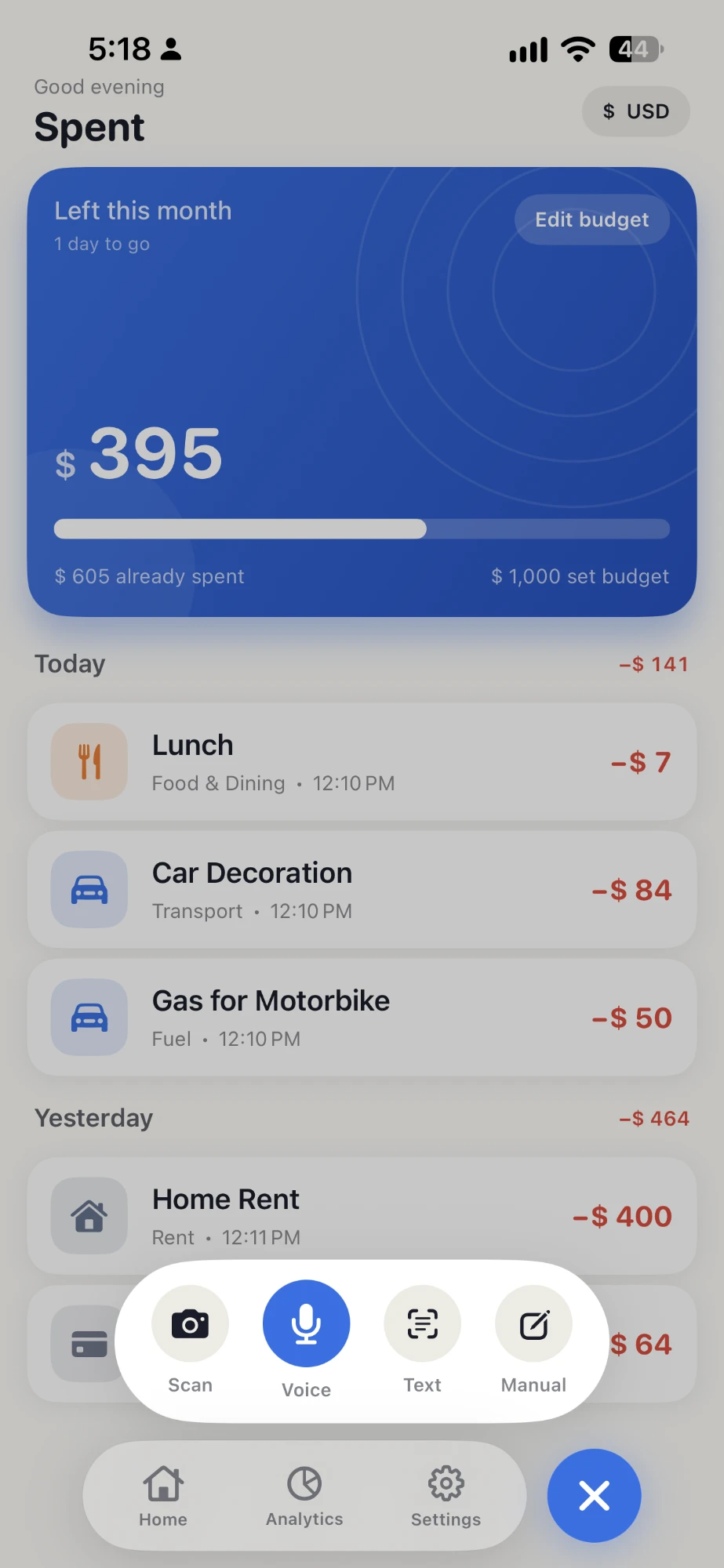
The expense tracker that does the typing for you. Say it, snap it, type it — or just ask Siri. AI turns it into a logged expense in one tap. No forms, no fuss.
1 tap
to log an expense
4 ways
to capture
Any currency
auto-detected
Offline-first
syncs later
Capture
Four ways in. One tap each.
However the moment hits you, Spent catches it — and the AI sorts out the rest.
Speak it
“200 for biscuits and 400 at the bazaar.” Two expenses, logged instantly.
Snap it
Photograph a receipt — AI reads the total, merchant and date for you.
Type it
A quick line becomes neat, categorized transactions.
Ask Siri
iOS“Hey Siri, add an expense to Spent.” Hands-free, even with the app closed.
Now hands-free.
Just ask Siri.
“Hey Siri, add an expense to Spent.” Say what you spent and it's logged — without even opening the app. Built on App Intents, so Siri transcribes and the AI does the rest.
- Works even with the app closed
- Siri transcribes — AI categorizes
- No setup: just say the phrase
“Hey Siri…”
Listening · hands-free
The whole idea
Done means captured — not “fill in a form.”
The instant you speak or snap, you're free to go. Spent processes it in the background and it's just there when you look back. That's the whole point.
Insights
See where your money actually goes.
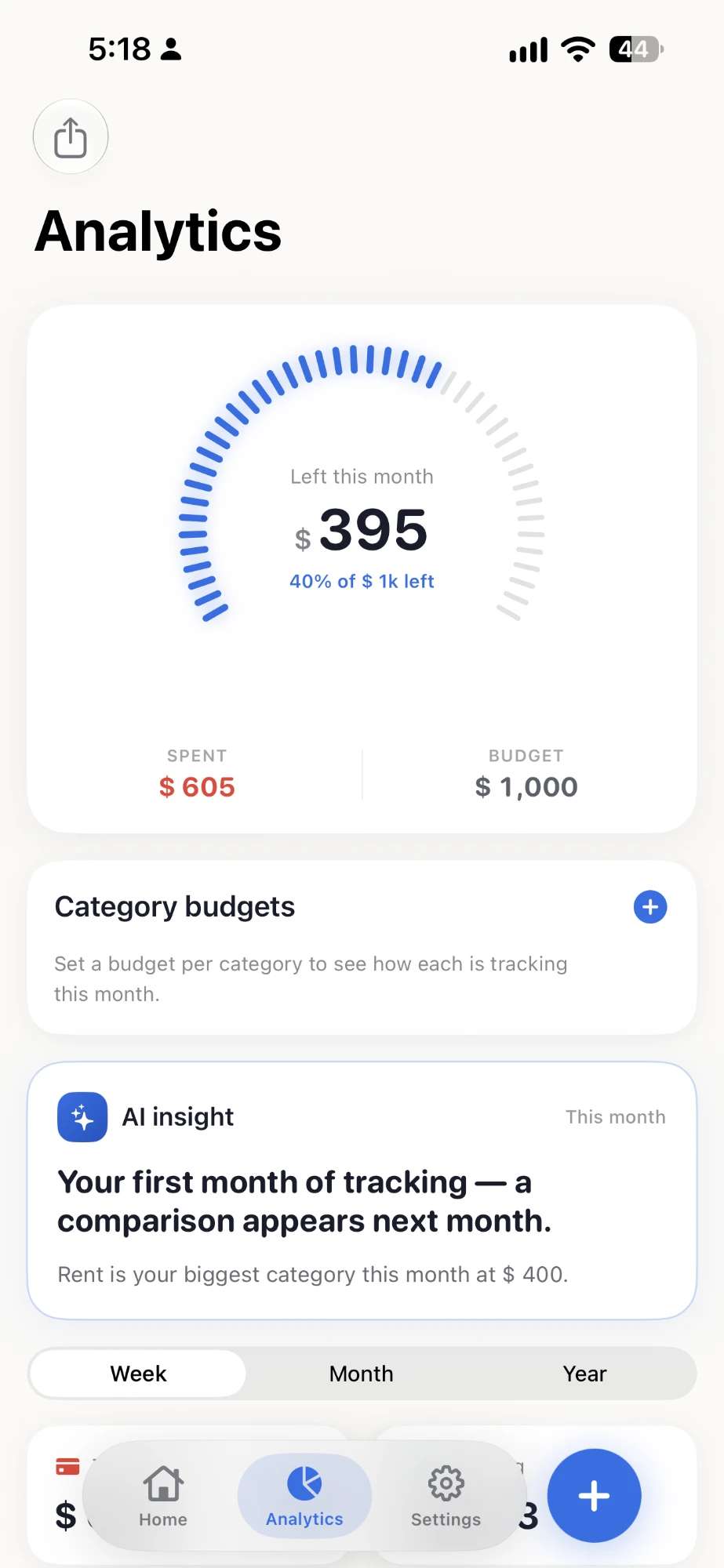
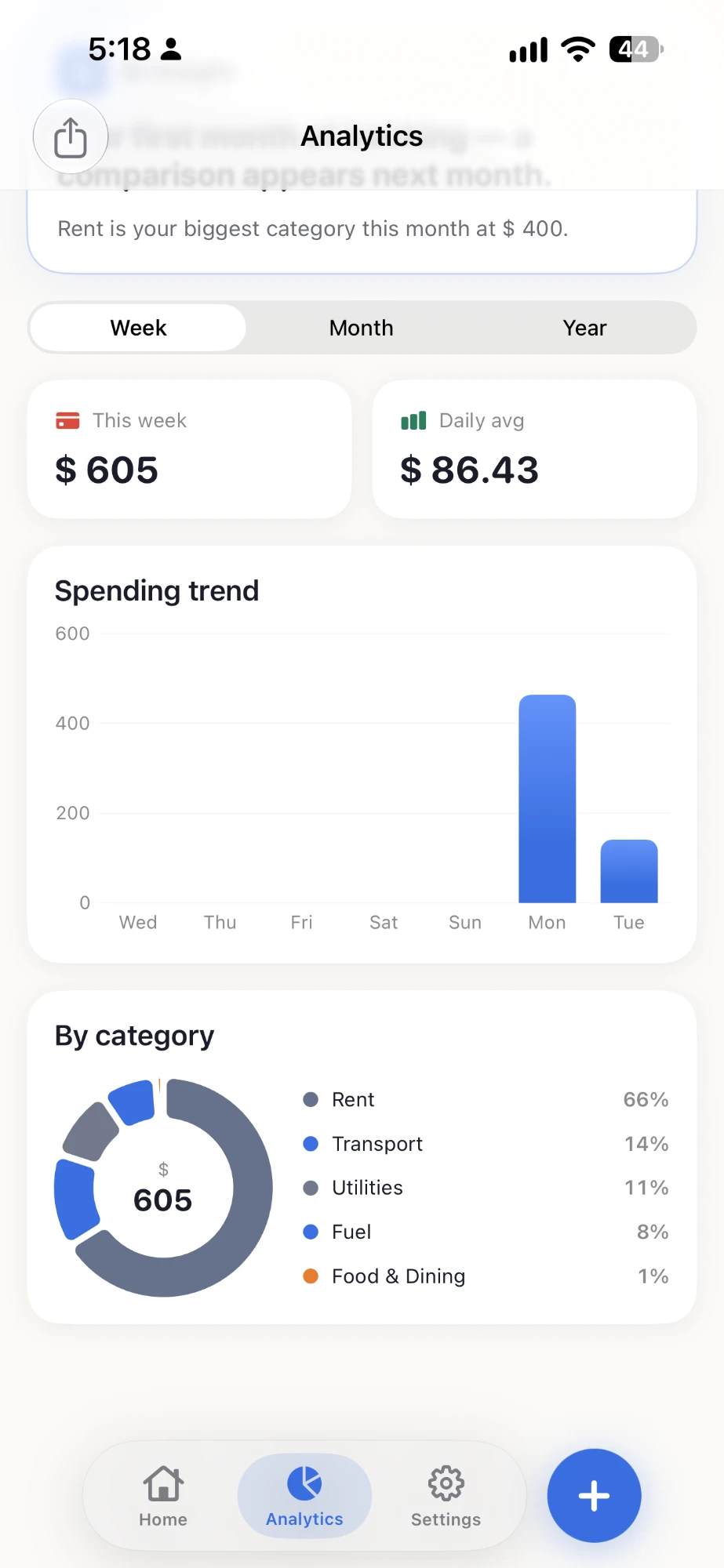
One honest number for today. Weekly, monthly and yearly trends. A category breakdown that updates the moment you capture. No spreadsheets, no setup.
- Today's spend, front and center
- Week / Month / Year charts
- Category breakdown donut
- Home-screen widget
Why Spent
Built to get out of your way
Understands natural language
Even a mix of English and local words. Just talk.
Splits multiple expenses
One sentence, many transactions — sorted automatically.
Any currency
Say it in dollars, pounds or rupees — Spent reads the currency you use.
Capture & forget
Save instantly, even offline. It syncs when you're back.
Beautiful dark mode
Warm by day, calm by night. Easy on the eyes.
Private by default
Your data is yours, secured to your account alone.
Pricing
Start free. Go Pro when it clicks.
Manual tracking is free forever. Spent Pro lifts the limits — unlimited AI capture, deeper insight, and export. Same Pro features, monthly or annual.
Free
No card needed — start in one tap.
- Unlimited manual entry
- 30 AI captures a month
- Week / month / year charts
- 1 budget goal · 3 subscriptions
Pro · Monthly
Price shown in the app before you subscribe.
- Unlimited AI capture
- Monthly AI money insight
- Advanced analytics & trends
- Unlimited budgets & subscriptions
- CSV & PDF export
Pro · Annual
Price shown in the app before you subscribe.
- Unlimited AI capture
- Monthly AI money insight
- Advanced analytics & trends
- Unlimited budgets & subscriptions
- CSV & PDF export
Subscriptions are purchased and managed in the app through your Apple App Store or Google Play account, and prices may vary by region. Subscriptions renew automatically until you cancel. See our Terms and Privacy Policy.
FAQ
Questions, answered.
What is Spent?
Spent is an AI expense tracker that removes data entry. You capture an expense by voice, by photographing a receipt, by typing a quick line, or by asking Siri, and AI turns it into a categorized transaction in one tap.
How do I log an expense with my voice?
Just say it naturally, even mixing languages. Several expenses in one sentence are split automatically: “200 for biscuits and 400 at the bazaar” becomes two entries.
Can Spent scan receipts?
Yes. Photograph a receipt and AI reads the total, merchant and date for you.
Does Spent work with Siri?
Yes, on iPhone. Say “Hey Siri, add an expense to Spent” to log hands-free, even with the app closed.
Is Spent free, and do I need an account?
Spent is free to start and no signup is required. A Pro subscription is also available; the price is shown in the app before you subscribe.
Does Spent work offline and with other currencies?
Yes. Captures save on your device and sync when you are back online, and Spent understands multiple currencies, including PKR, USD, GBP and AED.
Is my financial data private?
Your financial data is not sold or shared. See the privacy policy for details.
Does Spent connect to my bank account?
No. Spent is built around fast capture by voice, receipt photo, text or Siri, not automatic bank syncing.

Start in one tap.
Say your first expense. Spent does the rest.